Building UX/UI Design.
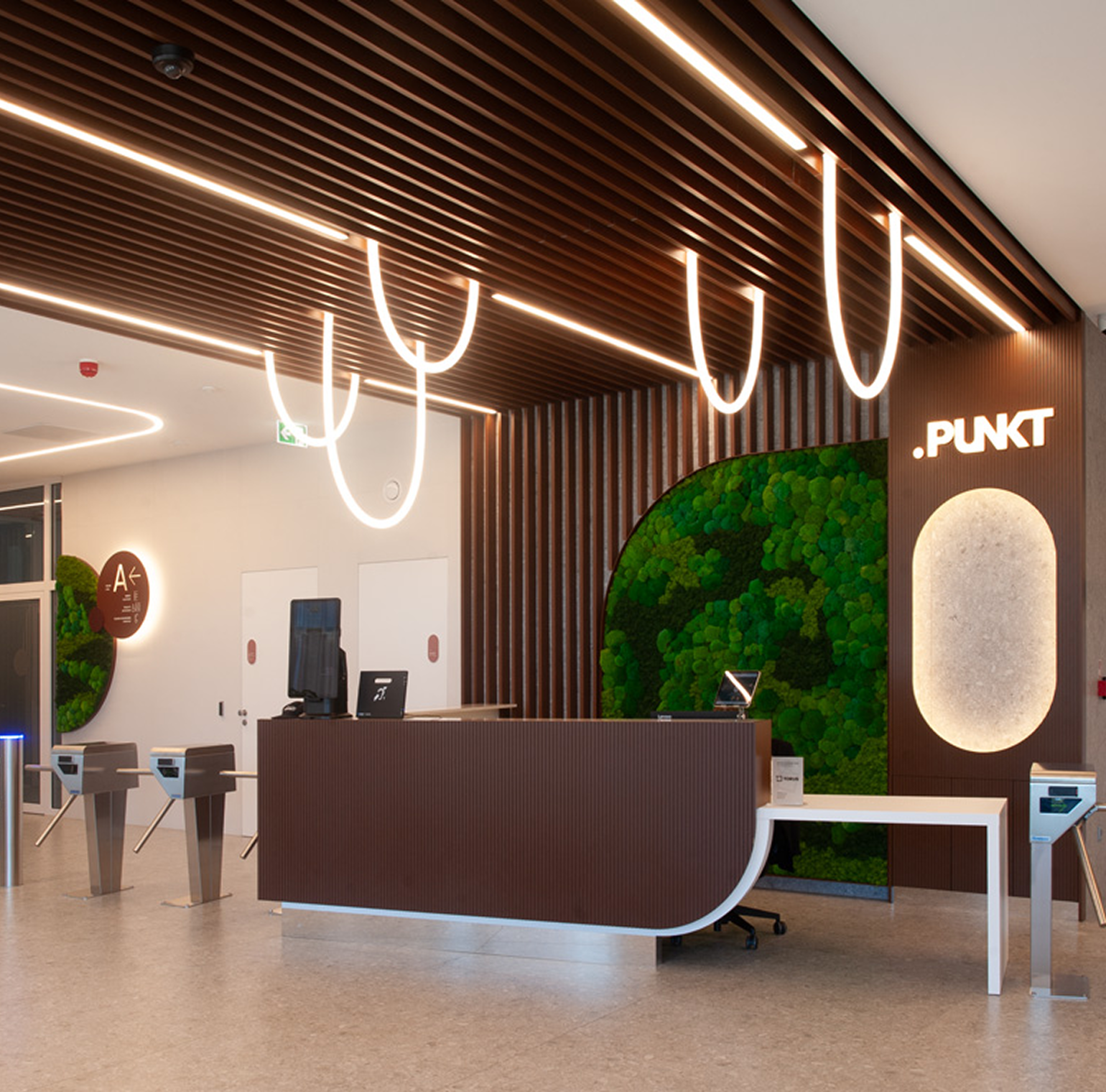
I designed the first and most-used interface of a building, for several user groups with different goals, under business and regulatory constraints with inclusive and sustainable design in mind.
A lobby is a physical product with an onboarding flow, and people's first minutes in it decide how the whole building feels.
User experience and user interface of the building's interior is of great business importance. The attractiveness and good functionality of the building affects the lease of office space. High occupancy of the area, in turn, affects the quick sale of the building and greater profit for the customer.
Role: Lead Designer
Client: Torus (developer), PUNKT, class A building, Gdańsk-Wrzeszcz
Result: two independent certifications — "Obiekt bez barier"/ "Facility without barriers" (Fundacja Integracja) and LEED v4, PLATINUM
Action taken.
Source of information.
Action taken.
Designing the First Five Minutes
How might a lobby help hundreds of people a day arrive, orient themselves and feel welcome, without a single instruction, while reflecting the building's premium standard?
How to design common spaces in an office building that are fully accessible to people with various functional limitations, and at the same time meet strict standards of sustainable development?
A new LEED Platinum, Barrier-Free Certified office building in Gdańsk's Wrzeszcz district needed common areas that could welcome hundreds of daily commuters, tenants, visitors and people with mobility needs, before a single tenant had moved in.
Wayfinding for Every Body
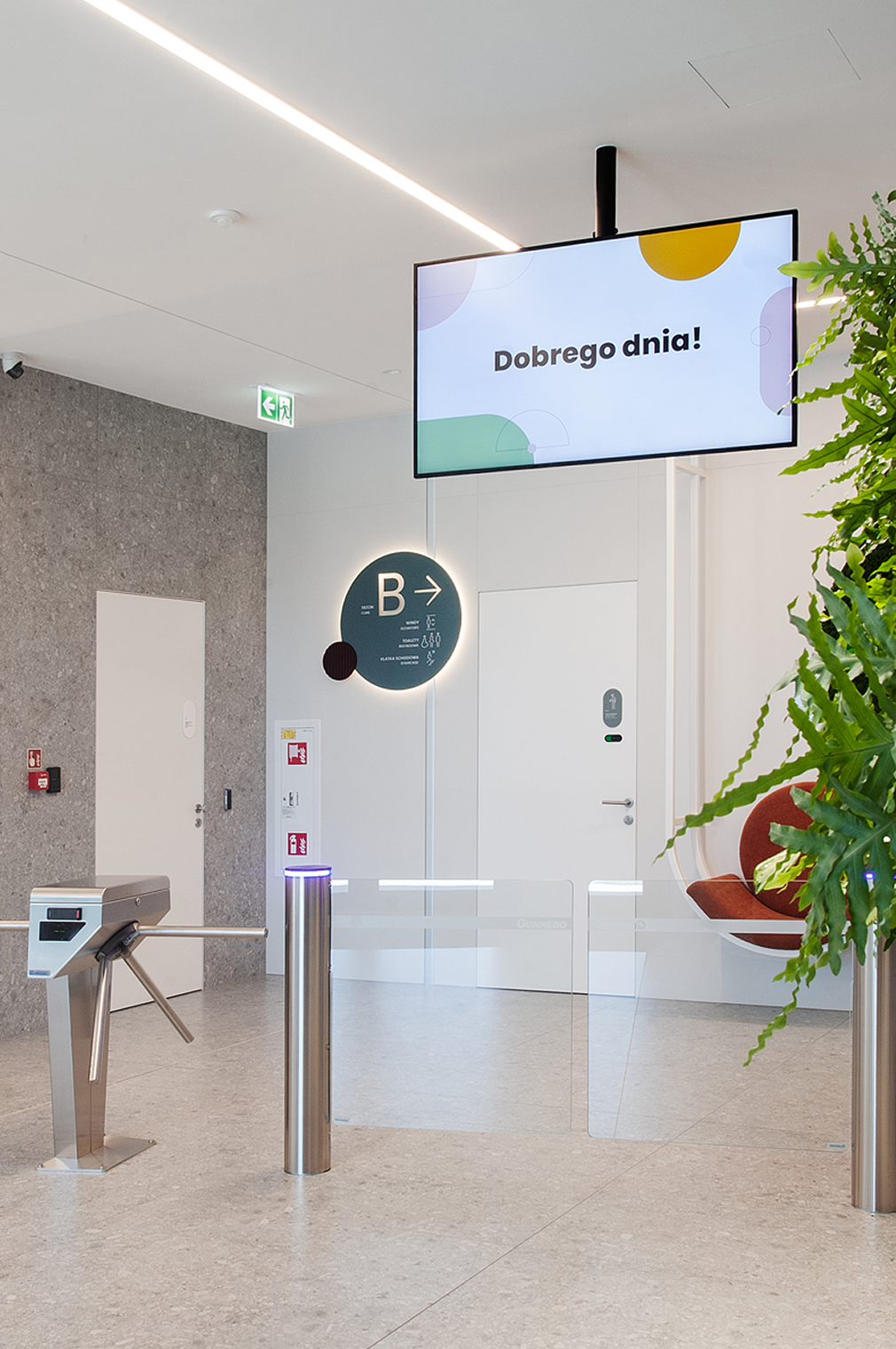
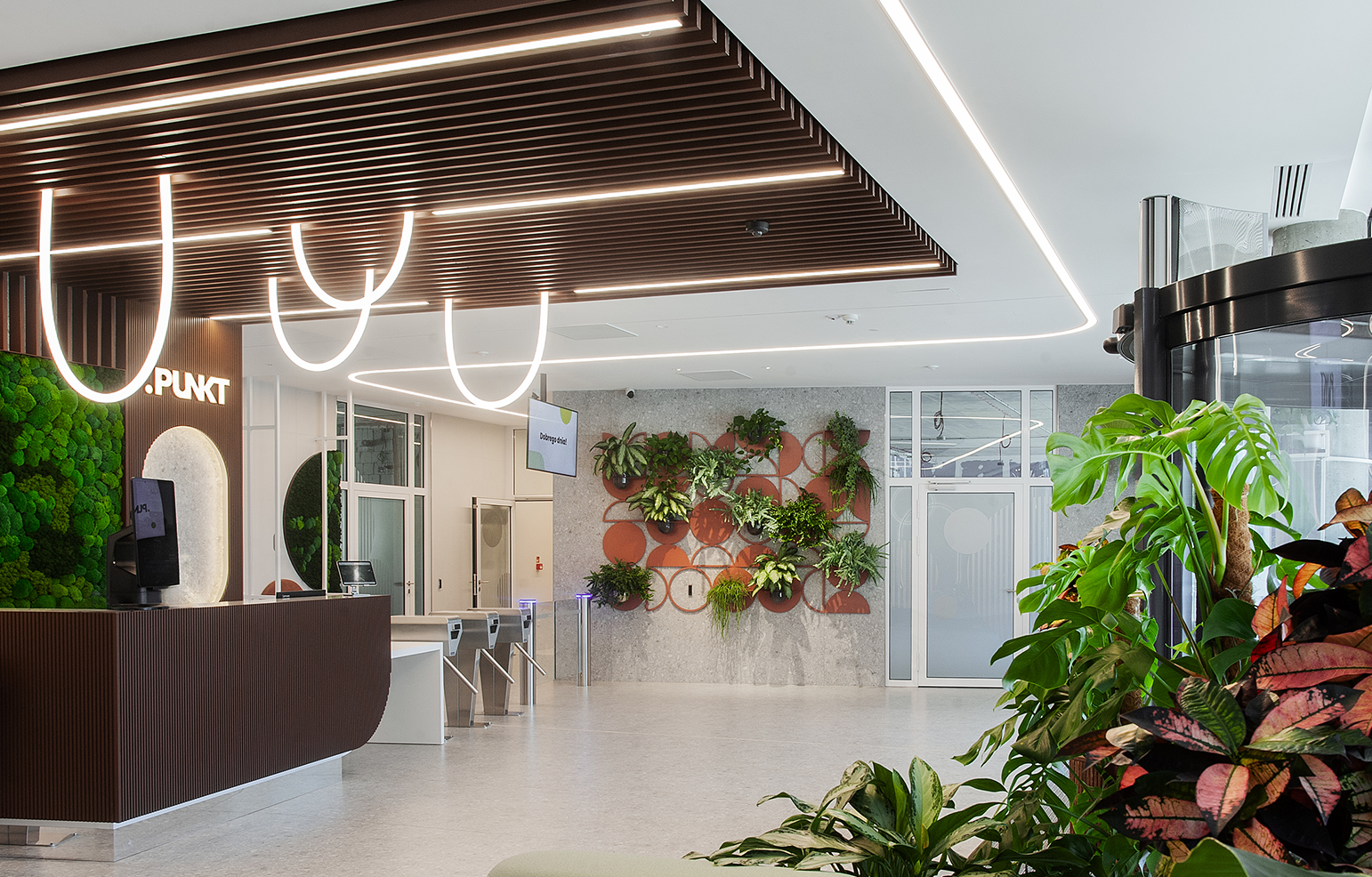
Single, visually dominant entrance sequence with sightlines directly to reception clearly indicated by an accentuating light, so that first-time visitors orient themselves within seconds, without signage.
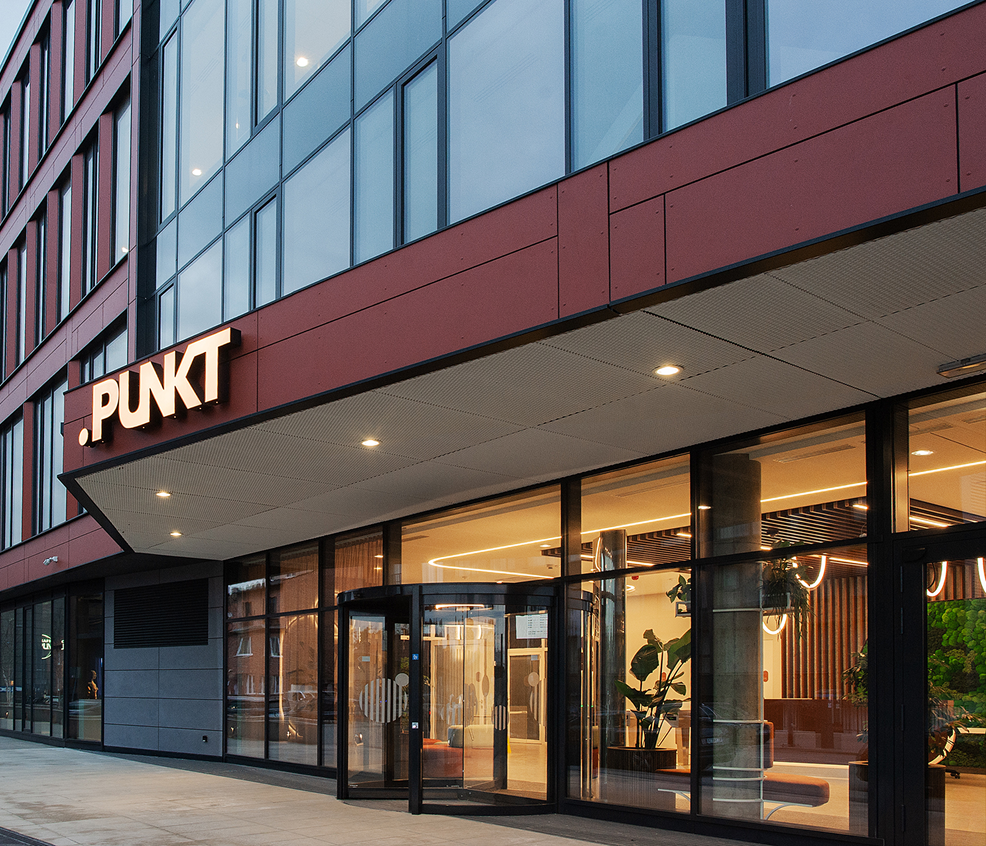
Level thresholds, wide clear routes, and consistent tactile and visual cues throughout, meeting Barrier-Free Facility certification, so the experience is equal for every user, not retrofitted for some.

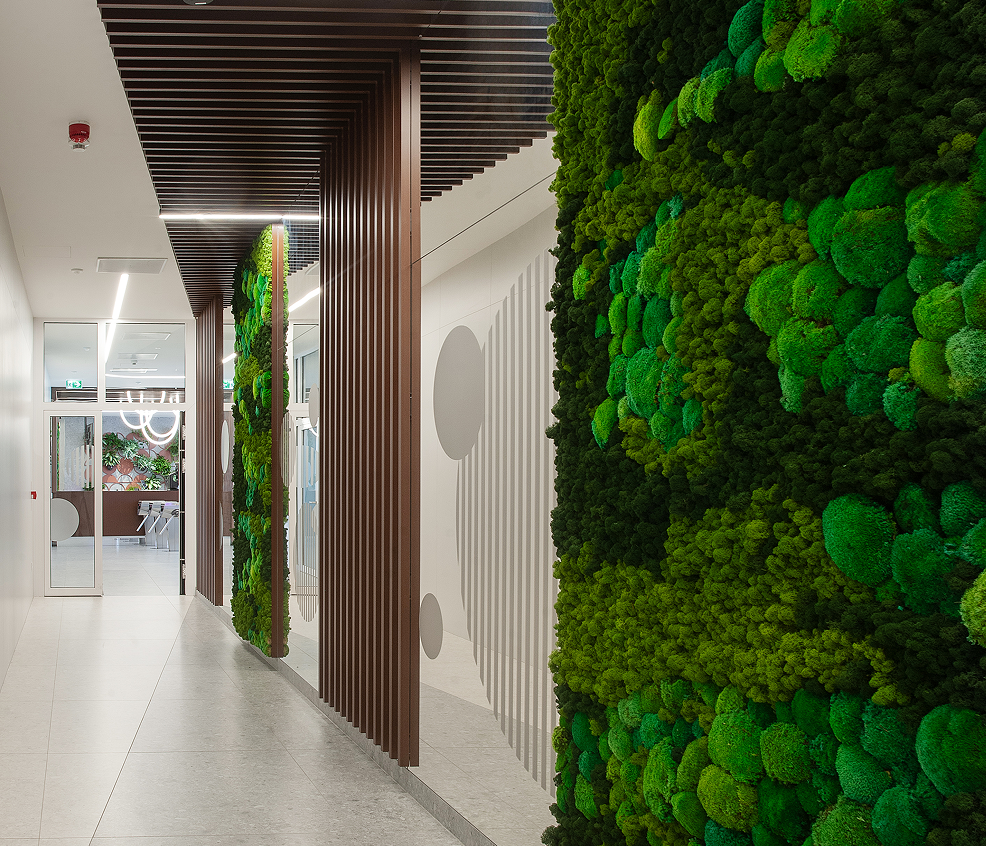
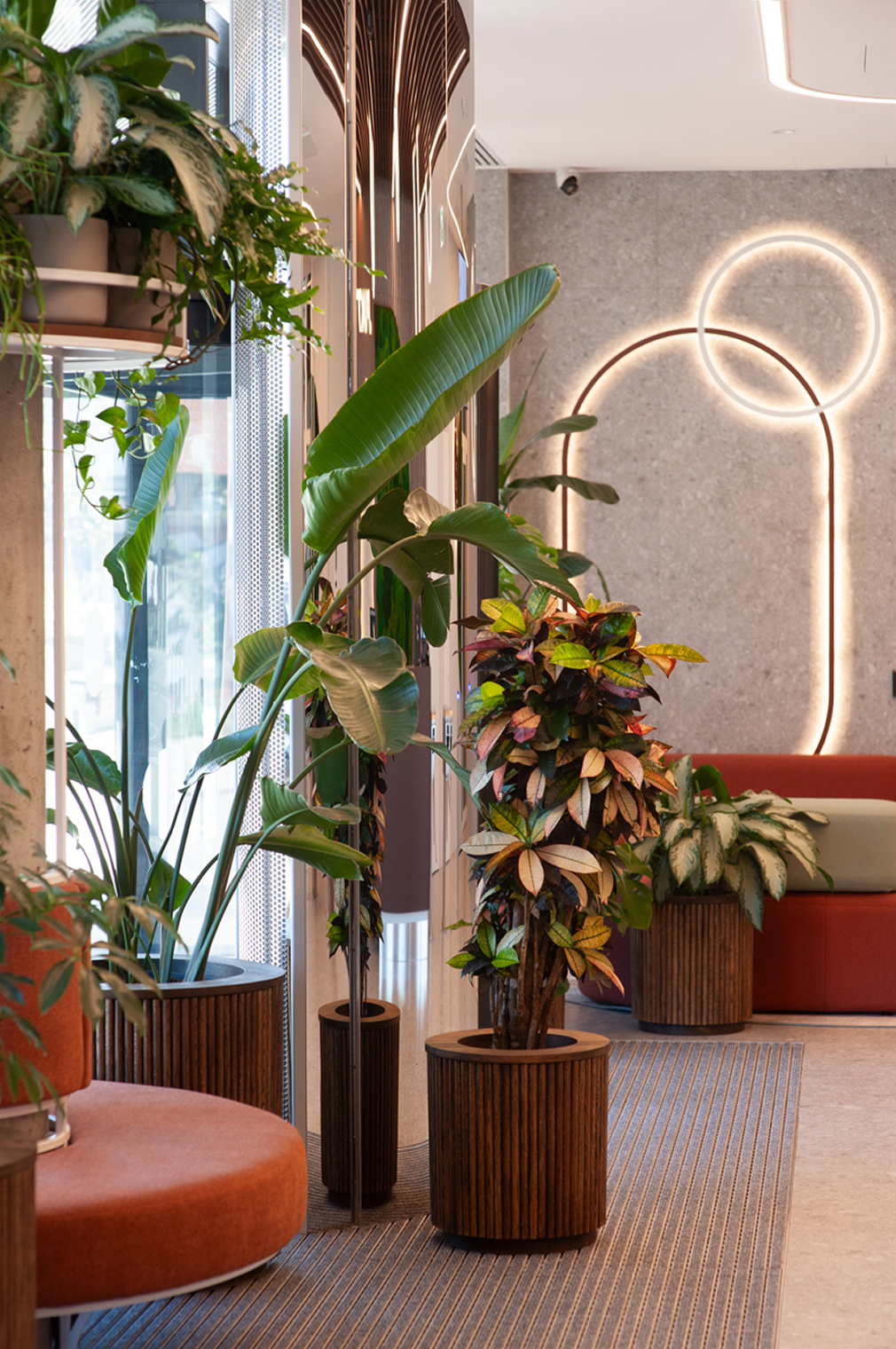
Punkt as point of view of elements like material transitions on floors and ceilings, lighting or biophilia so people read the space intuitively, the way a well-designed interface uses visual hierarchy instead of labels.
- immediate orientation
- clear destination
- reassurance
- efficient circulation
- familiar landmarks
- frictionless access
- clear guidance
- welcoming atmosphere
- confident arrivaL
One Space, Many Journeys
Who are the "users" of common spaces?
Client is a well knonw modern offices developer in the Tri-City market, with 19 years of experience and 160 000 sqm of office space delivered. User reserch was based on previos client cases of buildings and projects.
It helped create user personas and showed how users are diversified and what different needs may they have. From employees of various companies, guests, people with motor and visual disabilities, parents with children, the elderly, couriers to maintaenance personel like cleaning staff or security.
The space serves several types of users, each with different levels of familiarity and different expectations.
The standards and guidelines that I had to take into account were the accessibility guidelines that were consulted with the Fundacja Integracja, (certification auditors) in the form of stakeholder interviews.
Key UX insight: The less familiar the user is with the environment, the more important visual hierarchy and spatial cues become.
The Art of Compromise
The real challenges in the design were the limitations of accessibility requirements, which often do not go in line with modern trends.
Here are some examples.
Persons with reduced mobility/persons in wheelchairs:
- Entrance to the building for wheelchairs next to the revolving door
- Public toilet for disabled people on each floor each core
- Appropriate width of passages and surface
- Elimination of all thresholds and obstacles
- Suitable height of devices such as buttons, doorknobs, sockets, etc.
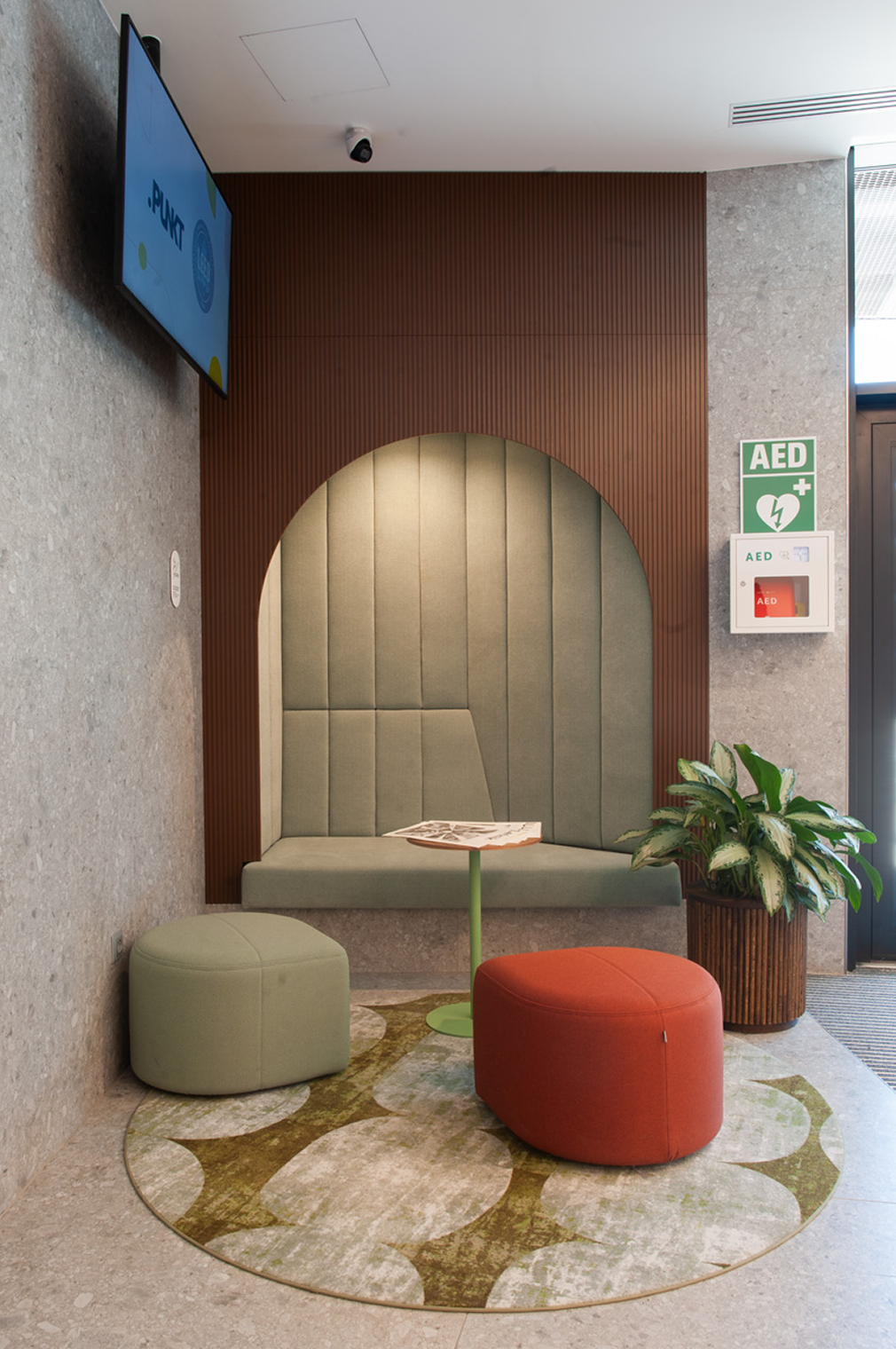
- Rest zones with seats at certain distances from each other
- Swing gates instead of revolving ones
- Two heights of the reception counter lover one with space for wheelchair access
Hearing impaired and mute people:
- Induction loop hidden at the reception desk but marked clearly and legibly
- Good illumination of the receptionist's face so it is possible to read lips
- Room acoustics achieved using appropriate soft materials, as excessive reverberation hinders intelligibility
- Online Sign Language Interpreting available at the front desk available on a suitable device
Visually impaired people:
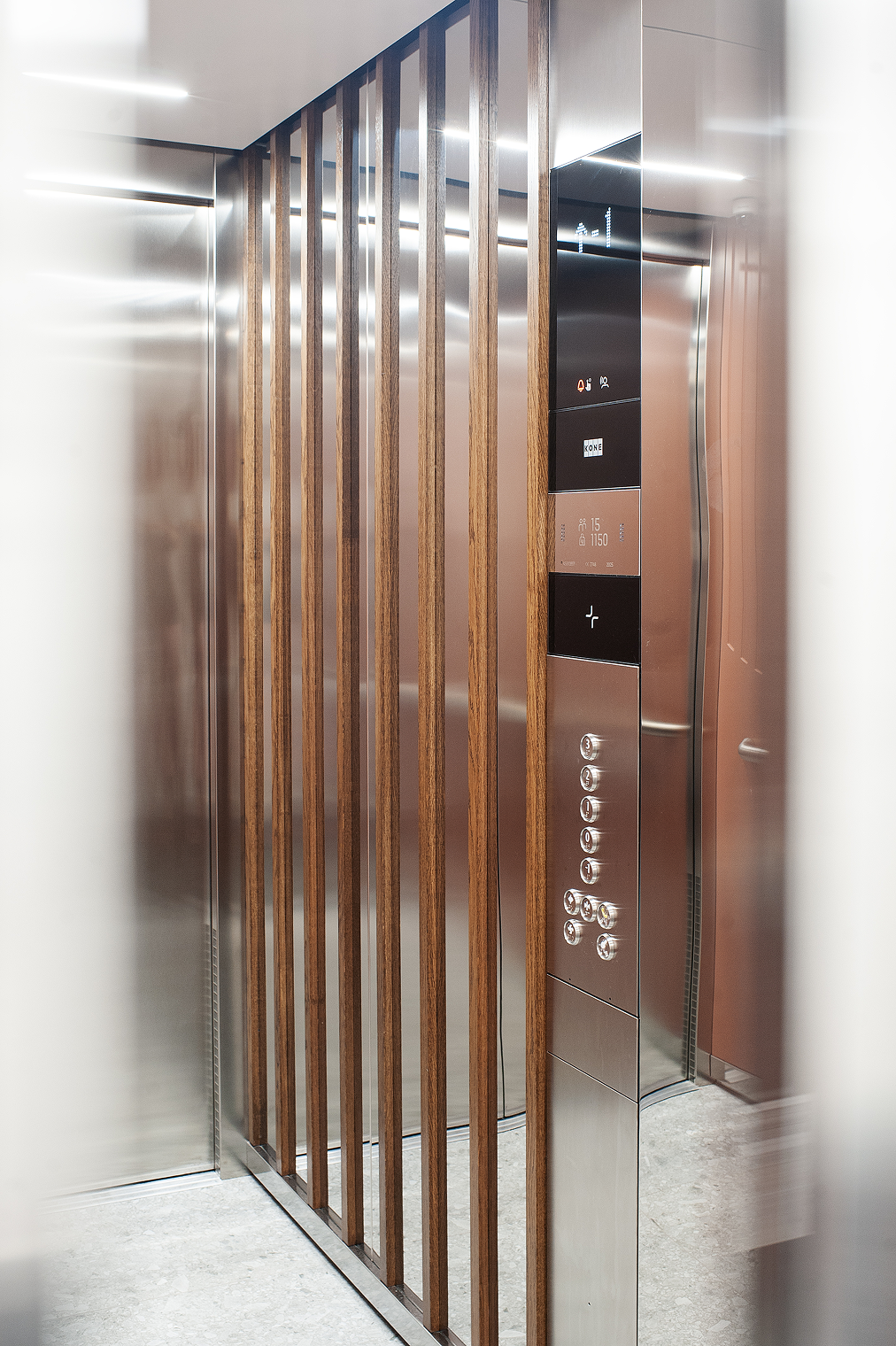
- Voice communication system in elevators.
- Communication signs described in Braille lockated on walls, doors and stair handrails
- Contrasting colours on touching planes like floors and walls
- Glass surfaces and mirrors protected with foils for better visibility and safety
Another restriction noticeable in the design process was limiting oneself to specifically certified materials, including those that leave a zero carbon footprint or materials without harmful substances for the most sustainable design.
The aim was to minimize the building's environmental impact throughout its entire life cycle (design, construction, operation, and demolition or adaptation), while simultaneously prioritizing the economic viability of the investment.
It also includes taking care of the health, comfort and well-being of the user which resulted in elements such as:
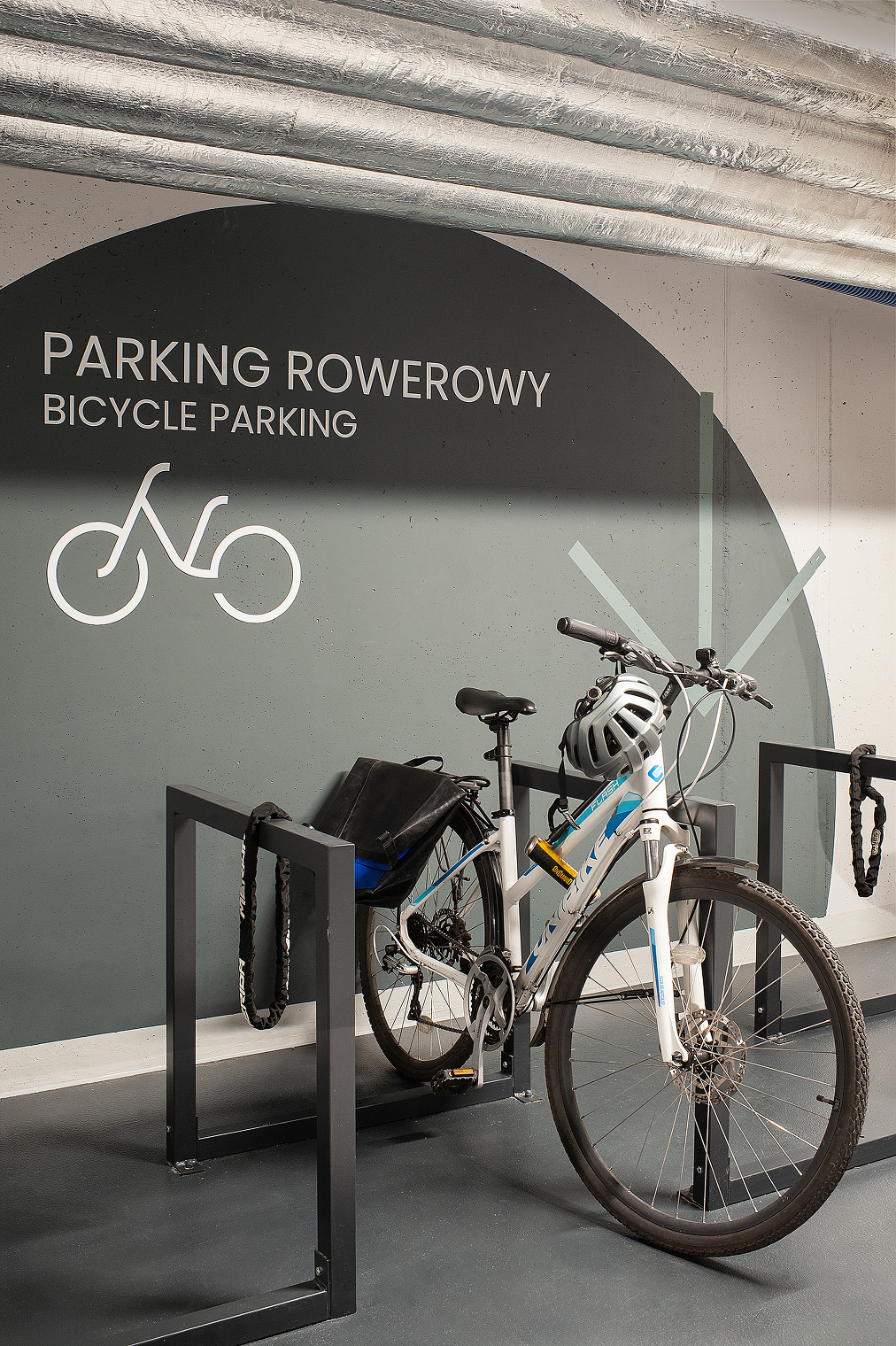
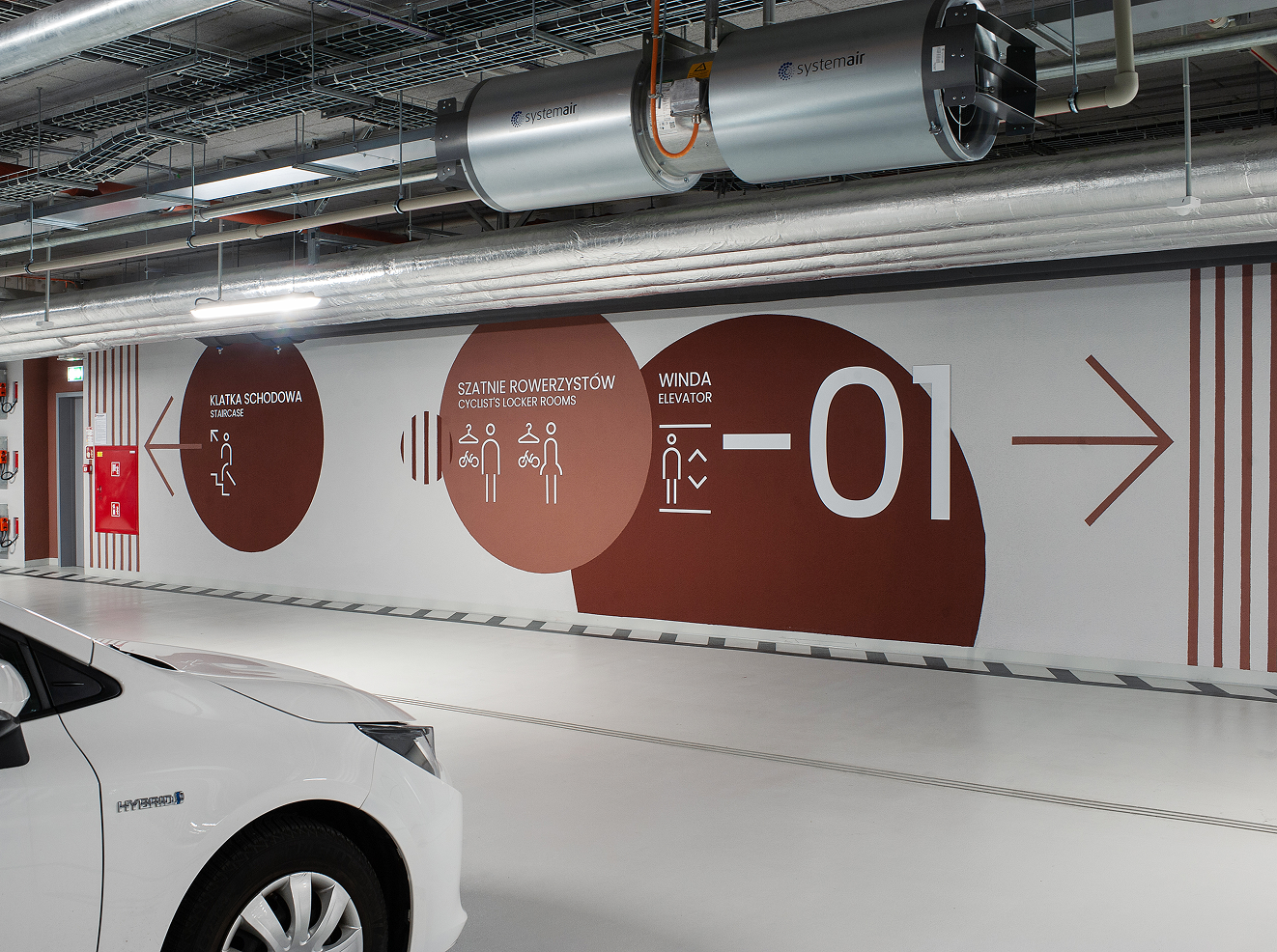
- Many bicycle parking spaces and cyclist changing rooms
- Electric vehicle charging stations
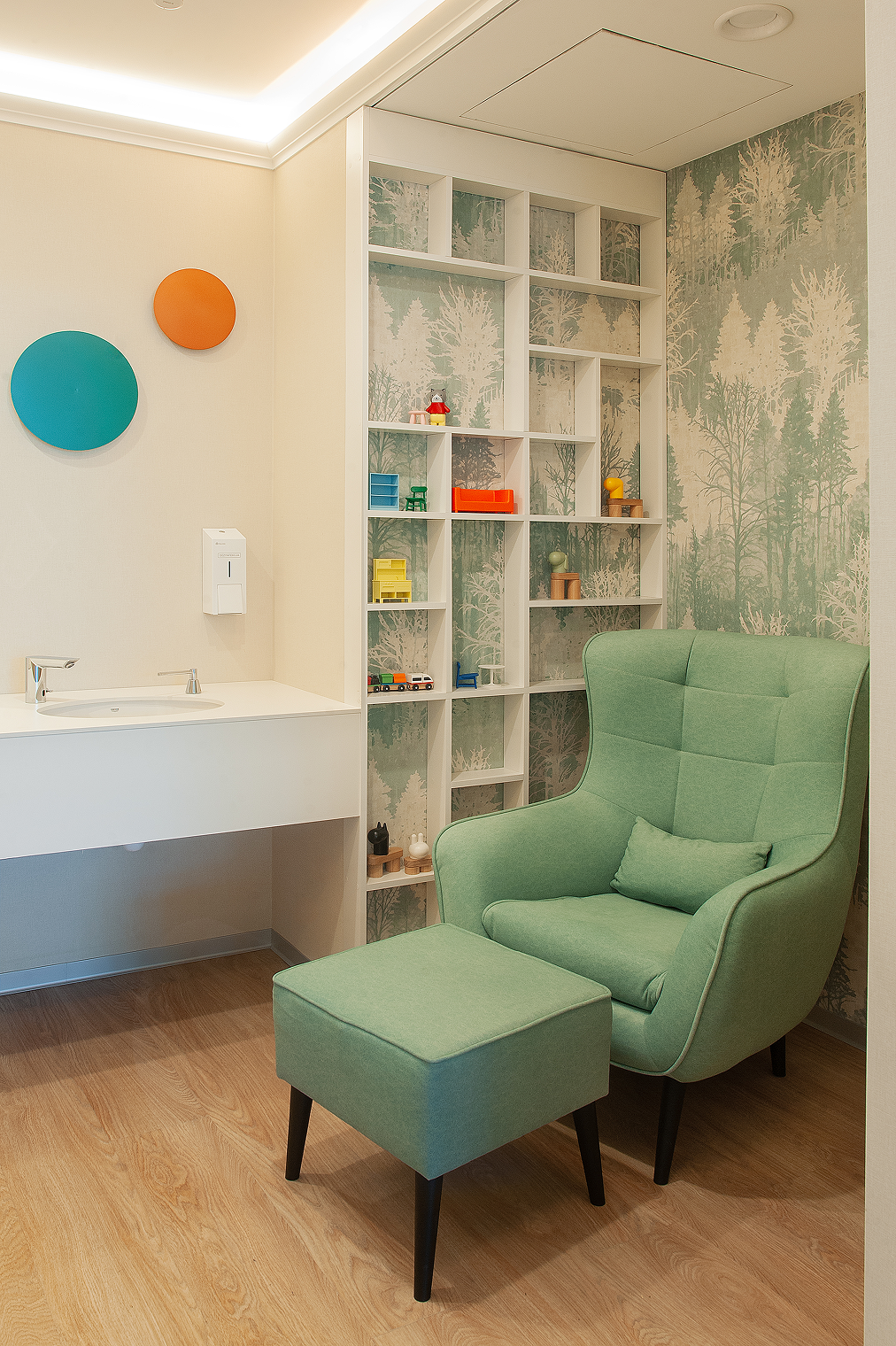
- Mother nursing room
- Taking care of biophilia (greenery inside and around the building).
- Convenient LED lighting with daylight and presence-dependent control.
A System That Guides.
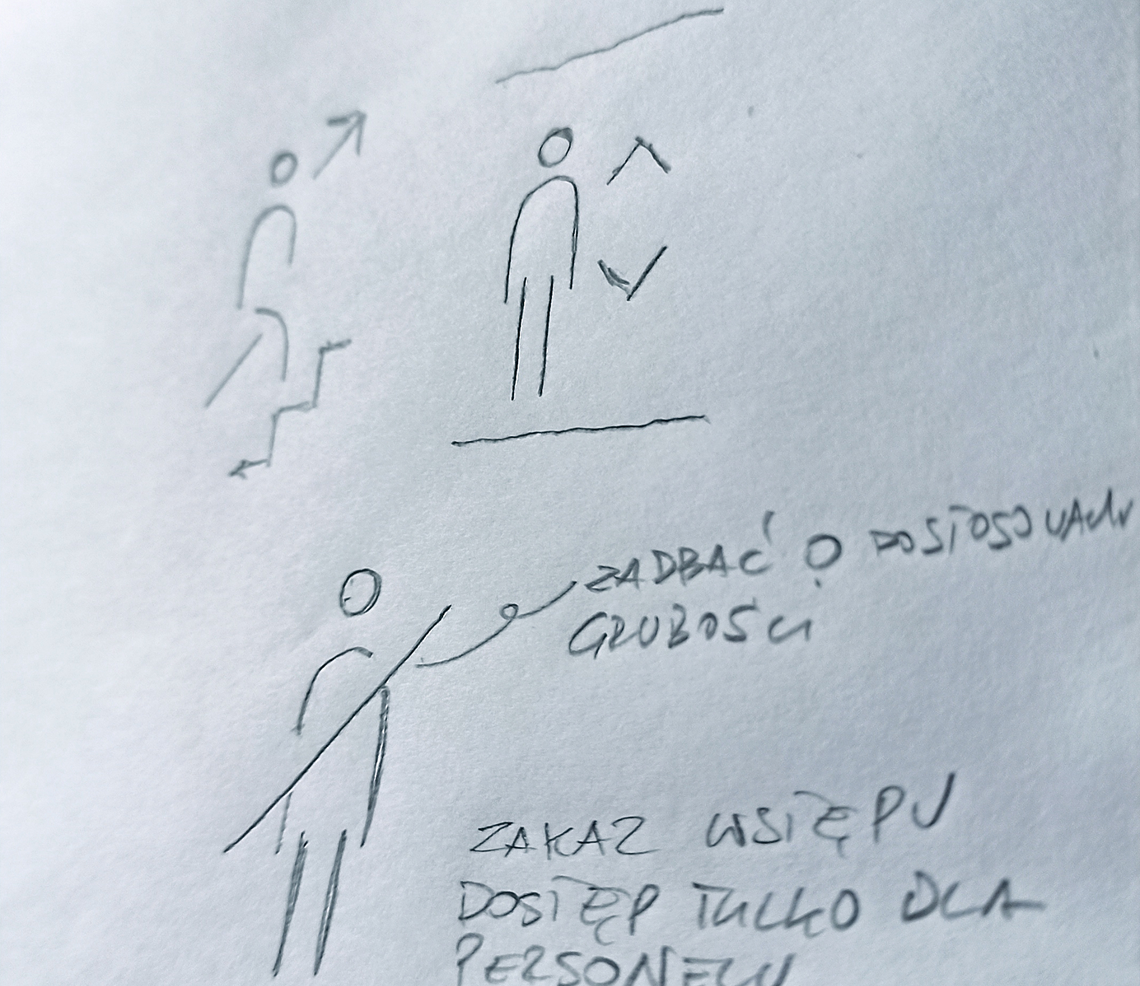
I designed a wayfinding UX system drawing on the brand's key visual and the interior design to ensure the signage felt like a natural part of the space.
The system was grounded in user and site research, which shaped a clear information hierarchy and messaging strategy. Readability, comprehensibility, and consistency guided every decision, from typography and iconography to color and placement. The result is a scalable set of rules that helps visitors navigate intuitively while keeping the building's identity cohesive.

Usability Test Results
The best usability test results are to obtain certification, and in this case:


The most important lesson
I started this project with the ambition to create a space accessible to everyone. Along the way, I understood that "everyone" is not a user that exists. Every decision must have a specific addressee, and universality is a direction rather than a point of arrival.
Needs that are mutually exclusive.
There are many types of disability, and their needs can be contradictory. A separate path for people with disabilities (e.g. a side entrance) gives independence, but can also separate from the mainstream. Thresholdless doors help people in wheelchairs, but blind people lose the natural signal of the edge by which they orient themselves with a cane. Sound signals help blind people, but they are not heard by hearing impaired people and can tire sensory sensitive people.
That is why I understand inclusivity today not as one solution for everyone, but as a series of conscious decisions: who does this solution serve, who can it exclude and how do I compensate for it. Hence the redundancy of channels in the project: intercom and button, induction loop and sign interpreter, printing and Braille.
How it changed my process?
I start with defining users and their context, not solutions.
In this project, it was only the journey maps for four profiles (person in a wheelchair, blind, hard of hearing and mute, disabled) that revealed places where a solution good for one group created friction for another.
What I would have done differently?
I would include people with disabilities in the concept test beforehand.
I would add a visual and audible signal at the gates.
What I take from this to digital design?
The same principle applies to interfaces: WCAG compliance does not mean that the product works for everyone. I design for defined users and consciously check who my decisions may exclude.